

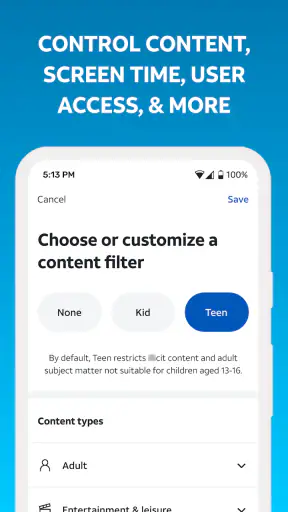
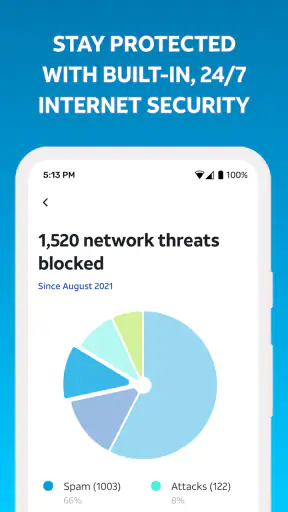
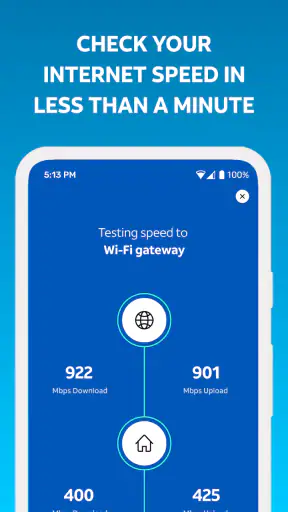
Smart Home Manager is the kind of productivity app I only appreciate after something goes wrong. It is made for AT&T Internet customers who want to manage and personalize their Wi-Fi network from a phone, rather than treating the router as a box that disappears behind a desk. I tested it with that practical mindset: not as a flashy app to open every day, but as a control panel that should earn its place when the household changes, a connection feels slow, or a new device needs attention.
My first impression was straightforward. The app is free, rated for Everyone, and developed by AT&T Services, Inc. It has been available since August 21, 2017, and the current version is 2.2607.501 for devices running Android 7.0 or later. Those details matter less than the central condition: this is specifically for AT&T Internet customers. If your service comes from another provider, the app is not a general-purpose replacement for your router’s management tools.
What remains useful after the first week
The first-week appeal comes from putting everyday network tasks in a more approachable place. Instead of searching for a router address, remembering technical terminology, or asking someone else in the home to change a setting, I can use a phone-based interface designed around the AT&T connection. That makes the app particularly useful for people who want control without turning home networking into a weekend project.
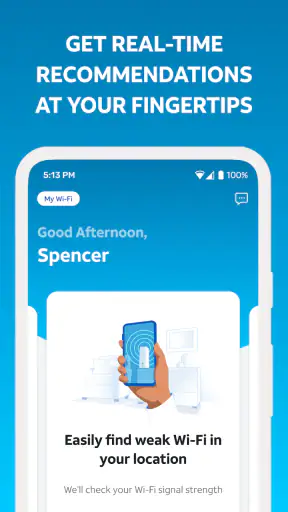
A realistic example is a busy evening when a child is trying to complete homework, someone else is streaming video, and a work laptop is uploading a large file. When the connection feels unreliable, the useful question is not simply whether the internet is working. I want to identify which device or part of the home network deserves attention. Smart Home Manager gives AT&T customers a more direct place to begin that check, instead of immediately restarting everything or blaming the service.
The personalization angle is also more important than it sounds. A household rarely has one consistent Wi-Fi pattern. Phones, televisions, tablets, consoles, printers, cameras, and work computers appear and disappear over time. A management app can make those changes less mysterious because the network is viewed through the devices people actually use. I find that more helpful than relying on a generic router interface filled with settings most households never touch.
One of my practical tips is to open the app during a calm moment, not only during an outage. Familiarizing yourself with the device view and the available network controls before a problem occurs reduces the temptation to make random changes under pressure. It is a small habit, but it turns the app from an emergency button into a reference tool.
That said, the first-week experience depends heavily on whether you already understand what you want to change. New users may expect the app to explain every networking issue in plain language. It can simplify access to network management, but a phone interface cannot eliminate the difference between a weak signal, an overloaded connection, a device problem, and an issue outside the home. I still need to interpret what I am seeing rather than treating every warning as proof that the internet service itself is at fault.
Useful for households, less useful for network hobbyists
I think the app is best suited to families, renters, remote workers, and anyone who wants ordinary Wi-Fi management without buying separate equipment. It is also a sensible option for a household where one person handles technical chores for everyone else. The phone format makes it easier to check the network while standing in another room, helping a family member, or trying to understand why a newly connected device is behaving differently.
More experienced users may feel constrained compared with dedicated router software. People who enjoy detailed traffic analysis, advanced configuration, or hardware-level experimentation may prefer the manufacturer’s interface for their own networking equipment. Smart Home Manager’s strength is convenience within the AT&T ecosystem, not being a universal command center for every possible network design.
That distinction is important when deciding whether to keep it installed. If I only want to change the Wi-Fi name once and never inspect the network again, the app may feel unnecessary after setup. If I regularly add devices, help other people connect, or want a simpler way to personalize the network, its value is easier to justify.
Month-to-month value comes from small interventions
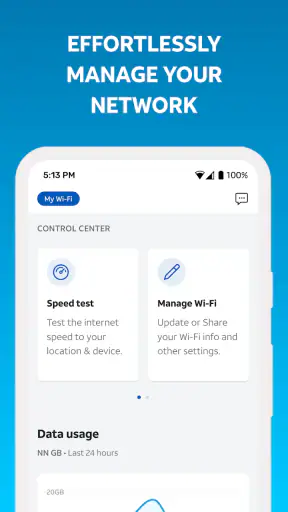
After the novelty fades, I would not expect to open Smart Home Manager for entertainment or daily productivity. Its recurring value comes from short, occasional interventions. A new tablet arrives, a guest needs access, a room seems to have weaker coverage, or a device behaves strangely. These are ordinary events, but they are exactly where a dedicated management app can save time.
The strongest long-term use case is household change. Wi-Fi networks become cluttered because devices are added casually and then forgotten. A phone-based manager encourages me to revisit that clutter when I am already thinking about the home connection. That can make the network feel more understandable, even when I am not changing anything. I can use the app as a periodic inventory check rather than waiting for a family member to report a problem.
A useful workflow is to review the network after moving a television, adding a smart appliance, or changing where someone works. Physical changes in the home can alter how people experience Wi-Fi, and the app gives me a place to connect those observations with the devices using the network. This does not replace proper troubleshooting, but it prevents the common mistake of assuming that every slow moment has the same cause.
I also like the possibility of using it as a shared household reference. In many homes, only one person knows the network details, which creates unnecessary dependence. Showing another trusted adult where the relevant controls are can make routine support less frustrating. The app becomes more valuable when it reduces the number of minor technical questions that all land on the same person.
Its audience is reflected in its broad adoption: Smart Home Manager has passed five million installs, with an average rating of 4.4 from around eighty-eight thousand ratings and roughly thirty thousand written reviews. I do not treat popularity as proof that every household will enjoy it, but it does suggest that the app addresses a recurring need for a substantial number of AT&T customers.
Maintenance is light, but not invisible
The maintenance burden is relatively modest if the app is used as intended. I do not need to manage a separate subscription because the app is free, and I do not need to turn network administration into a daily routine. The main responsibility is remembering that the app is tied to the AT&T Internet account and the equipment supporting that service. If the account, service arrangement, or home setup changes, the app’s usefulness can change with it.
That account connection is both a strength and a limitation. It keeps the experience focused on AT&T customers, but it also means I cannot treat the app as a portable tool for a different provider or a completely independent router setup. Someone who moves to a new internet company may find that the app no longer belongs in their regular toolkit, even if they liked the interface.
For ongoing use, I would keep notifications and troubleshooting habits sensible rather than checking constantly. A quick review when adding a device or after a service change is more realistic than a scheduled inspection every few days. The app earns lasting space when it supports a habit that already makes sense: checking the network when the household changes, not creating busywork for its own sake.
Another maintenance tip is to avoid changing several network-related options at once unless there is a clear reason. If I alter multiple things and the connection later behaves differently, I lose the ability to tell which change mattered. Making one adjustment, testing the devices that were affected, and then deciding whether another change is needed is slower in the moment but much easier to reverse.
Where fatigue begins
The main source of fatigue is that Wi-Fi problems are rarely as tidy as an app screen suggests. A device may be old, a room may have physical interference, an application may be overloaded, or the issue may sit beyond the home network. Smart Home Manager can help organize the investigation, but it cannot make every diagnosis instant. Users who expect one tap to permanently solve every connection problem may become disappointed.
There is also a psychological limit to personalization. At first, choosing how the network behaves can feel empowering. Over time, repeatedly adjusting settings for individual devices may become another household chore. If the network is stable, I would rather leave it alone than keep optimizing it because the controls are available. The app is most useful when it reduces friction, not when it encourages needless tinkering.
Another possible frustration is the difference between managing a network and improving its underlying performance. An app can help me understand or personalize the connection, but it does not automatically turn an older device into a newer one or make a distant room physically closer to the router. If the recurring issue is coverage, the better answer may involve changing equipment placement or considering a different hardware solution, not repeatedly opening the app.
This is where comparison with usual alternatives becomes helpful. A provider-specific app is generally easier for customers who want a guided experience connected to their internet service. A router manufacturer’s app may be better for people who own compatible third-party hardware and want controls that remain with that equipment. A browser-based administration page can offer a more technical view, but it is often less comfortable for casual household management. Smart Home Manager sits between those options: more approachable than a traditional configuration page, but less universal than a tool built around independent networking hardware.
I would skip it if I am not an AT&T Internet customer, if I already have a preferred third-party router system with a strong management app, or if my main goal is advanced network engineering. I would also avoid relying on it as the only answer to persistent service problems. In those cases, the appropriate next step may be hardware troubleshooting, a service check, or a more capable networking platform.
Does it deserve a permanent place on the phone?
My long-term verdict is positive, with a clear condition: Smart Home Manager earns lasting space when I regularly manage an AT&T home network, not simply because it is available. Its recurring value is practical rather than exciting. It helps turn Wi-Fi from an invisible utility into something I can inspect and personalize when the household needs it.
I especially recommend it to people who want a less intimidating way to handle connected devices and routine network changes. The app makes the most sense for households where convenience matters more than deep technical control. It is also useful for the person who often becomes the unofficial home IT department and wants a quicker way to investigate everyday complaints.
I would be more cautious for technically confident users who already have a carefully configured network, or for anyone hoping for a universal manager that follows them across providers and hardware. The AT&T focus is central to the experience, so it should be viewed as part of that service relationship rather than as a standalone networking product.
What I like most is that the app’s value can survive the first-week novelty without demanding constant attention. A device gets added, a room changes purpose, a family member needs help, or a connection suddenly feels wrong; those moments give the app a reason to exist. What I like least is the temptation to mistake convenient controls for a complete diagnosis. Used with realistic expectations, it is a useful productivity app for maintaining a home network. Its lasting strength is reducing small Wi-Fi hassles before they become household arguments.
Overall, I would keep Smart Home Manager installed if my internet service came from AT&T and my home had several people or devices relying on the same connection. It is free, approachable, and focused on a real recurring need. I would not call it essential for every customer, but for the right household it becomes the place I check first when the network needs attention.


